Toggle3D: Making AI, 3D and AR accessible
As Toggle3D’s only designer, I rebuilt most of the product experience and created its first design system, turning fast-built, inconsistent screens into a clearer platform for working with AI, 3D and AR.
- Role
- Senior UX/UI Designer, sole designer
- Timeline
- 2023–2024
- Company
- Nextech3D.ai
- Focus
- AI, 3D / AR, design systems
01 · The problem
Powerful technology, difficult product
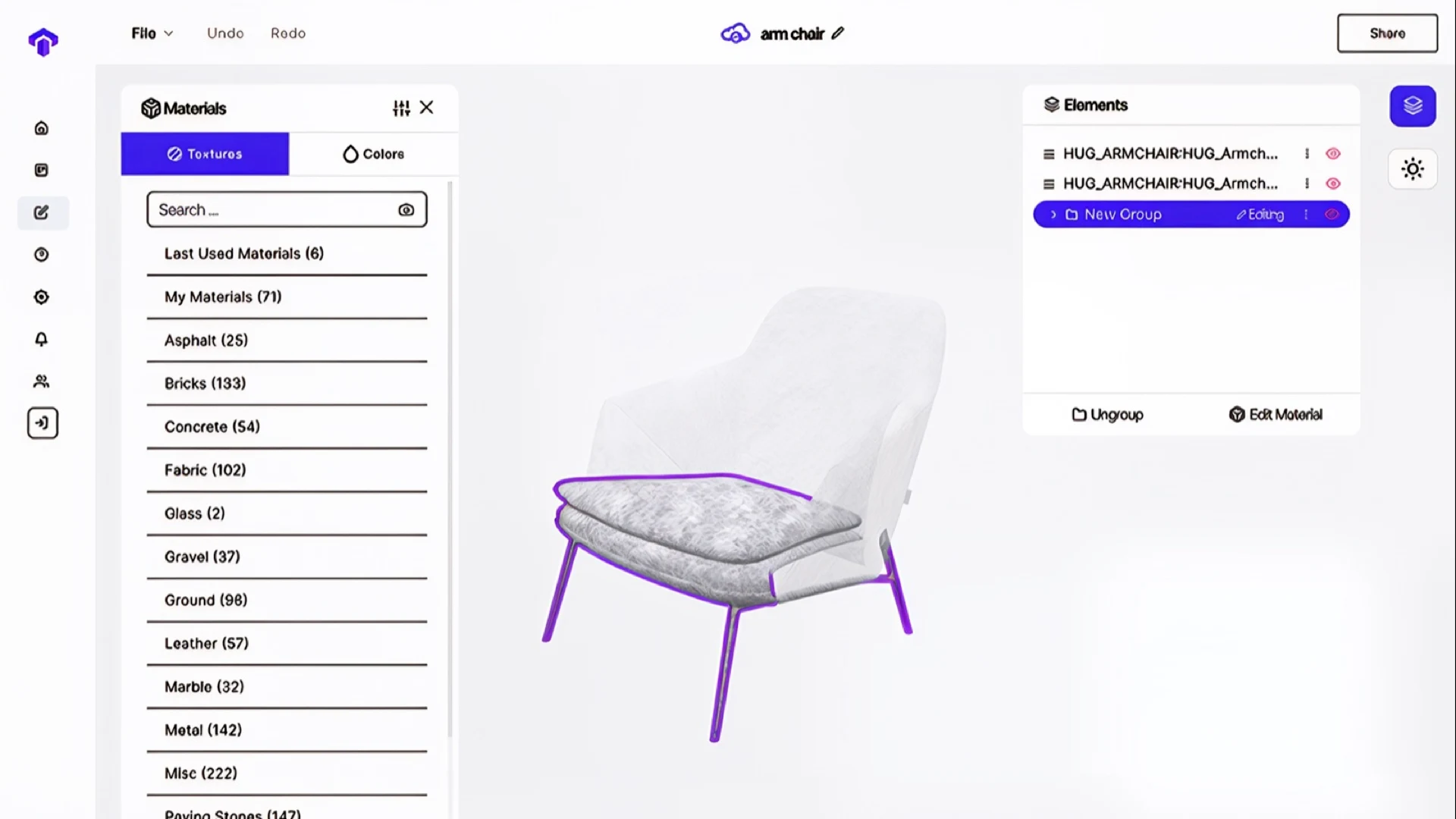
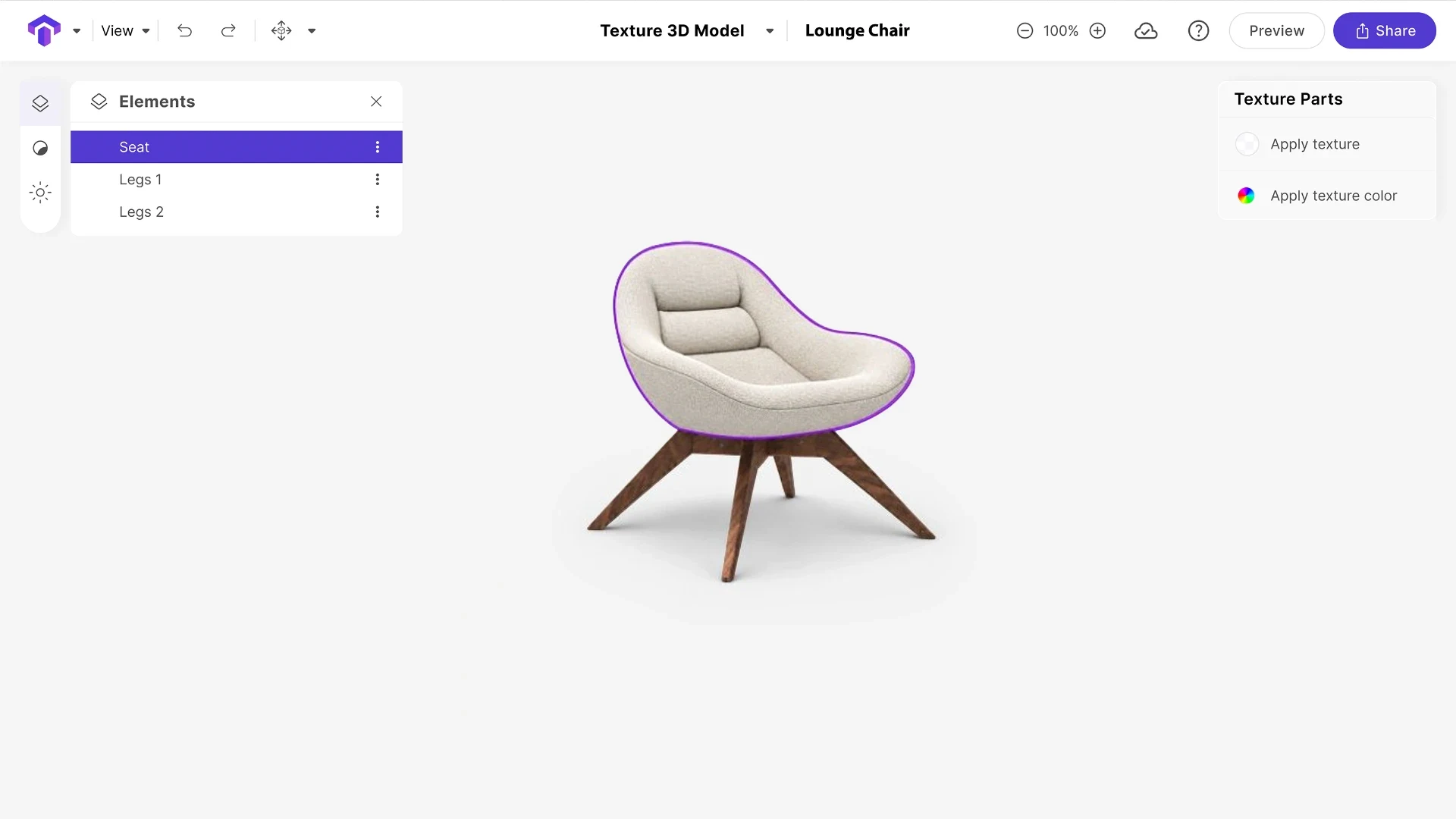
Toggle3D already had strong AI and 3D technology, but the product around it had been built quickly and changed constantly. There was no design system, patterns were inconsistent, and many workflows were difficult to understand.
As the only designer, I rebuilt most of the experience around one principle: users should not need deep 3D knowledge to understand what the product can do or what to do next.
02 · AI-assisted texturing
Make AI part of the workflow
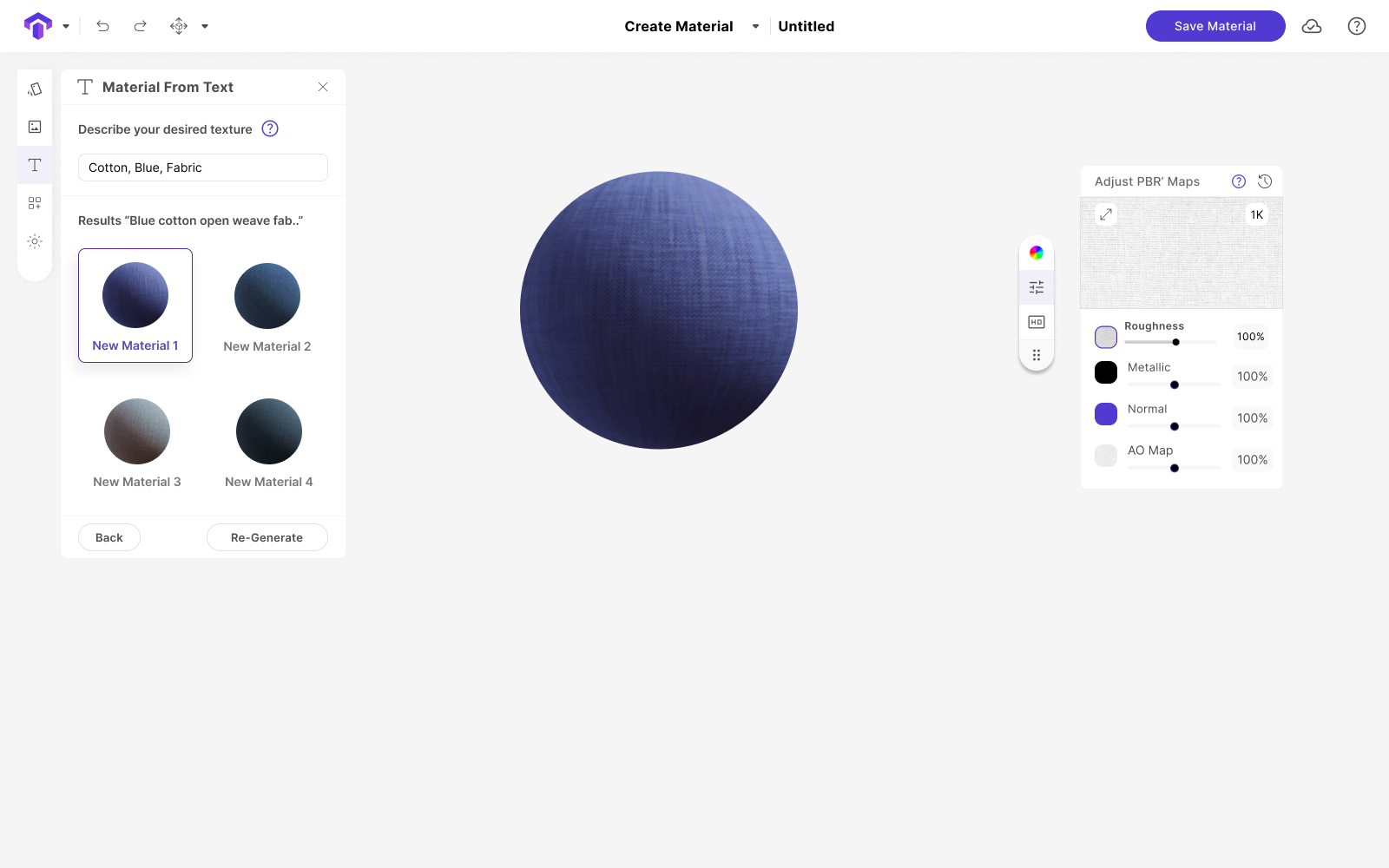
Users could create a material in two ways: describe what they wanted in plain language, or start with a small reference image and expand it into a full texture.
The important part was what happened next.
Once generated, the material behaved like any other texture in Toggle3D, so users did not have to learn a separate AI workflow.
03 · Building the product system
From scattered screens to one system
-
Audit the product
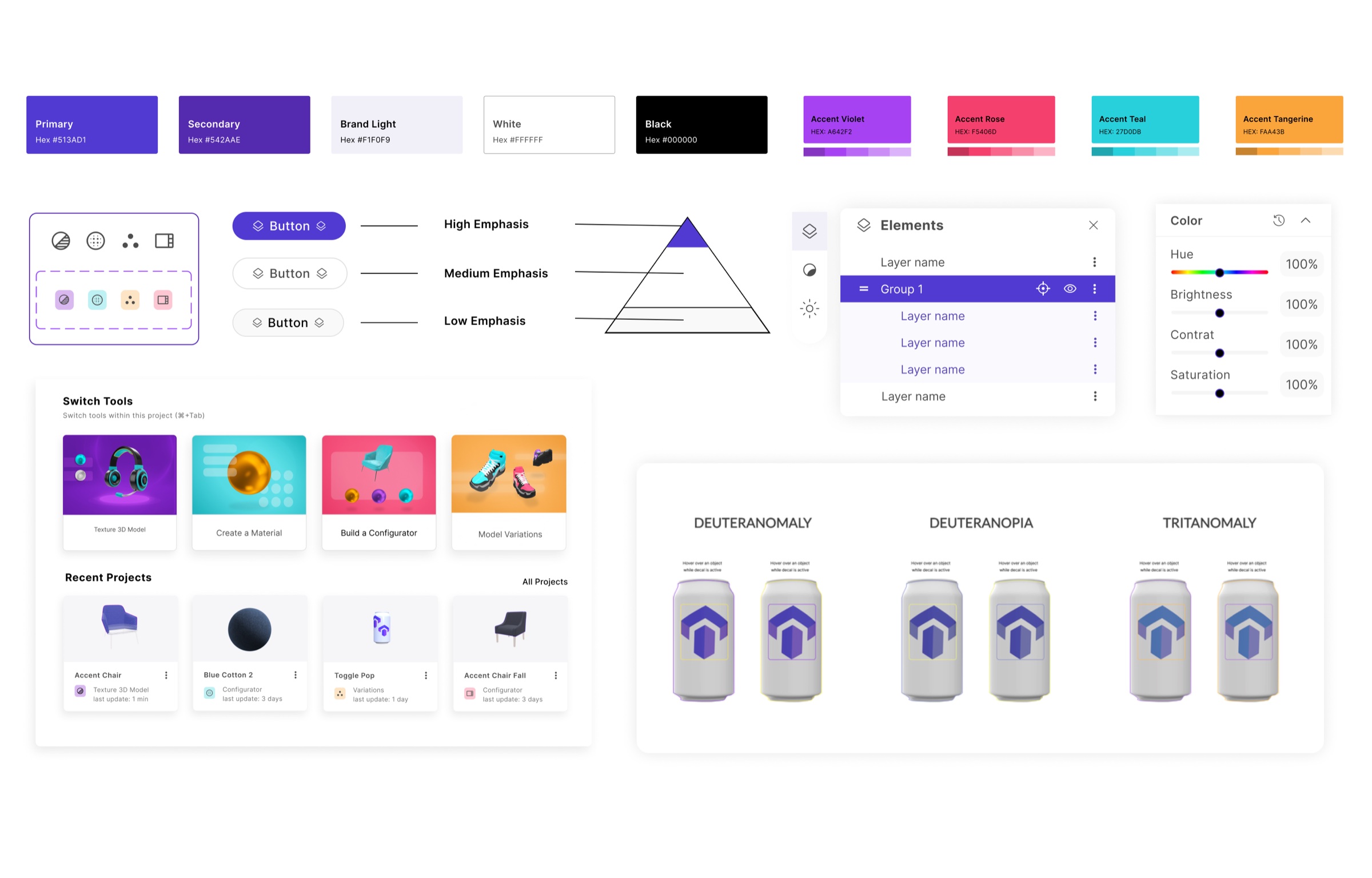
I documented inconsistencies across components, colors, icons, spacing and interaction patterns before redesigning them.
-
Learn the technology
Technical conversations and competitor research helped me understand the real constraints behind AI, 3D and AR workflows.
-
Build the visual system
I created a consistent palette, typography, iconography and reusable component system, including accessibility testing before the system was finalized.
-
Make it flexible
Components were built in Figma using Auto Layout and reusable variants so new features could evolve without rebuilding the interface each time.
-
Bring it into the product
I worked with engineering to implement the system, documented how it should be used and maintained it as the team and product grew.
04 · Beyond the interface
When a mockup could not explain the interaction
Some 3D interactions were difficult to understand from static screens alone.
I taught myself new 3D and motion techniques so I could create realistic animated prototypes that showed how features should actually behave.
That gave Product and Engineering something concrete to react to before development and made complex interactions easier to discuss and refine.
“She possesses a keen intellect that allows her to grasp complex problems quickly and propose innovative solutions. … Her ability to lead and collaborate with cross-functional teams has been instrumental in the success of several key projects.”
 Brynne KennedyProduct Design Director, Nextech · managed Alejandra directly
“Alejandra is a very creative and innovative designer which played a crucial role in the success of Toggle3D. It was very important for us to deliver a user-centric interface that differentiated us from the competition and she delivered on this vision beautifully.”
 Dasha VdovinaSenior Product Manager · worked with Alejandra on Toggle3D
05 · Outcome
From a collection of screens to a product that could grow
The redesign gave Toggle3D a clearer, more consistent experience across complex AI, 3D and AR workflows.
Its first design system gave Product, Design and Engineering a shared foundation for building new features without recreating patterns every time.
Learning the technology deeply also changed how I worked with engineering. I could move beyond visual decisions, prototype complex interactions and help shape how the product should behave.